On-Page SEO: 5 Mistakes Quietly Hurting Your Rankings
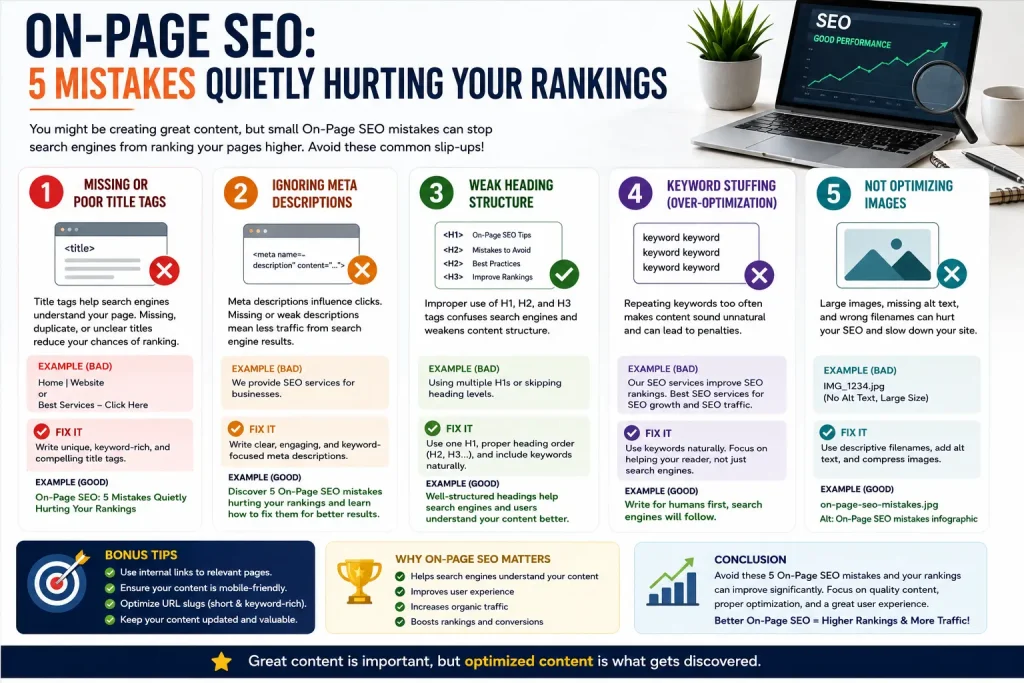
You’ve written the content, added a few keywords, hit publish — and still, nothing moves. No traffic bump, no ranking jump, just another page sitting quietly on page four of Google. If this sounds familiar, the problem usually isn’t your content itself. It’s what’s happening (or not happening) around it — the part most people overlook entirely: On-Page SEO.
On-page SEO is everything on your actual webpage that tells Google what the page is about and why it deserves to rank. Titles, headings, keyword placement, internal links, image tags — small details that individually seem minor, but together decide whether your page gets found or gets buried.
This article breaks down exactly where most websites go wrong with on-page SEO, and what actually needs fixing.
Table of Contents
- The Real Pain Points of On-Page SEO
- What On-Page SEO Actually Covers
- Title Tags and Meta Descriptions
- Heading Structure (H1, H2, H3)
- Keyword Placement Without Overdoing It
- Internal Linking
- Image Optimization
- URL Structure
- Frequently Asked Questions
- Conclusion
The Real Pain Points of On-Page SEO
Before getting into the fixes, it’s worth naming the frustrations most business owners actually run into. If any of these sound familiar, this article is written for exactly that situation.
- You’ve added the keyword, but rankings haven’t moved. Just having the keyword somewhere on the page isn’t enough — placement, structure, and context matter just as much as the word itself.
- Your headings look fine, but Google doesn’t seem to “get” the page. Poor heading structure confuses search engines about what your page is actually about, even when the content itself is good.
- Every page on your site looks the same to Google. No internal links connecting related pages means Google has no signal about which pages matter most on your site.
- You don’t know if your titles are even working. A weak title tag can quietly kill your click-through rate, even if you’re ranking on page one.
- Images are slowing your site down and doing nothing for SEO. Unoptimized images hurt page speed and skip an easy ranking opportunity most sites never bother with.
None of these are complicated to fix once you know what to look for — that’s really the whole point of on-page SEO. It’s rarely about big, dramatic changes. It’s about getting a handful of small details right, consistently, across every page.
What On-Page SEO Actually Covers
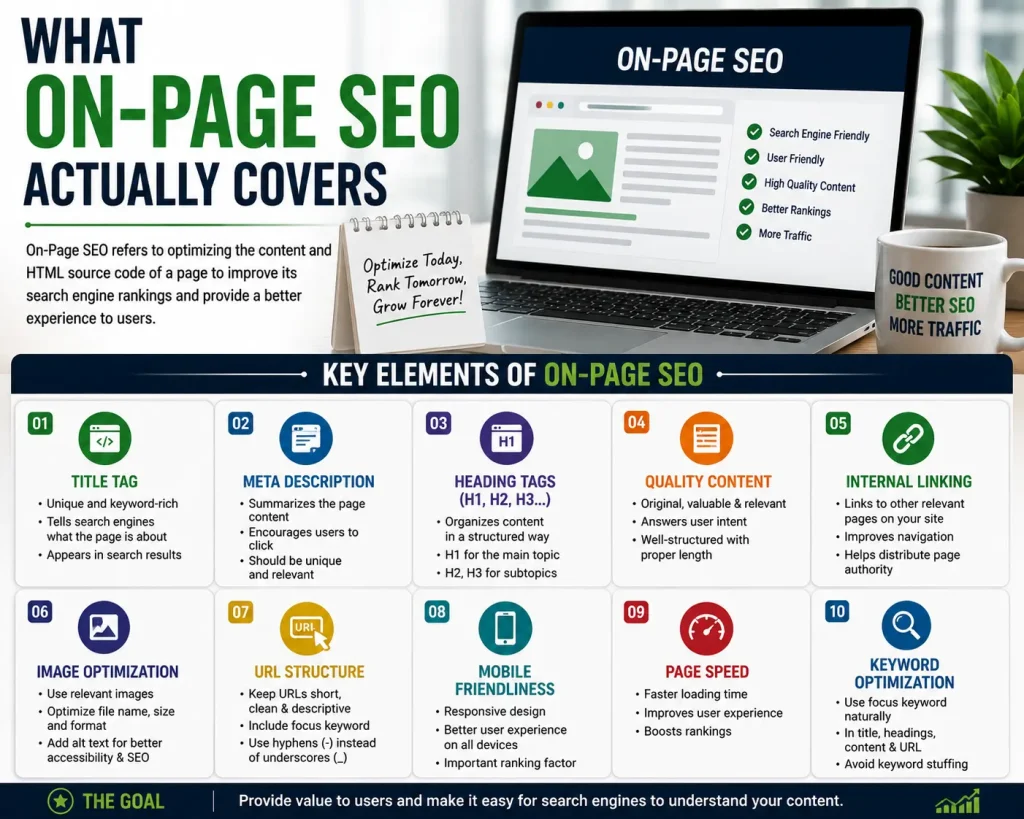
On-page SEO isn’t one single task — it’s a collection of smaller elements that work together. Think of it as everything within your control on a single webpage, as opposed to off-page SEO (backlinks, mentions) or technical SEO (site speed, crawlability), which live outside the page itself.
The core pieces are: title tags, meta descriptions, heading structure, keyword usage, internal linking, image optimization, and URL structure. Get most of these right consistently across your site, and you’re already ahead of a large share of websites that only think about content and ignore everything around it.
Title Tags and Meta Descriptions
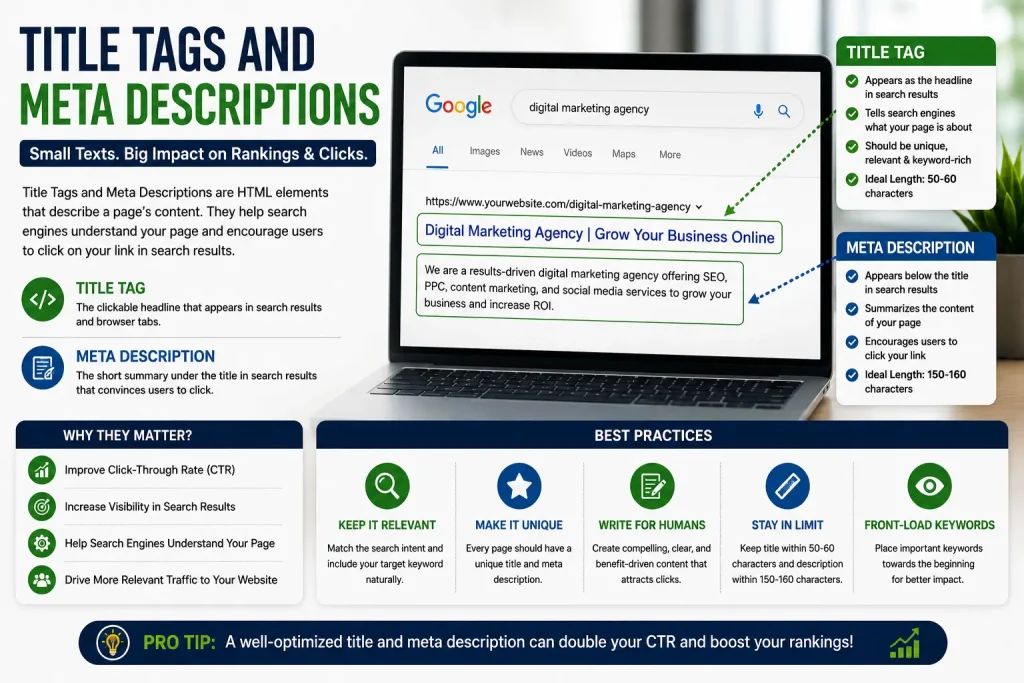
Your title tag is the first thing both Google and your visitors see. It needs to include your focus keyword — ideally near the beginning — while still reading naturally rather than like a list of keywords crammed together. A title stuffed with repeated phrases doesn’t rank better; it just looks spammy and gets ignored.
Meta descriptions don’t directly boost rankings, but they heavily influence whether someone actually clicks your result over a competitor’s. A description that’s vague or generic gets skipped. One that speaks directly to what the searcher is looking for earns the click — and that click-through rate is something Google does pay attention to over time.
Keep title tags under 60 characters and meta descriptions under 160, or they’ll get cut off in search results with an unhelpful “…” right when it matters most.
Heading Structure (H1, H2, H3)
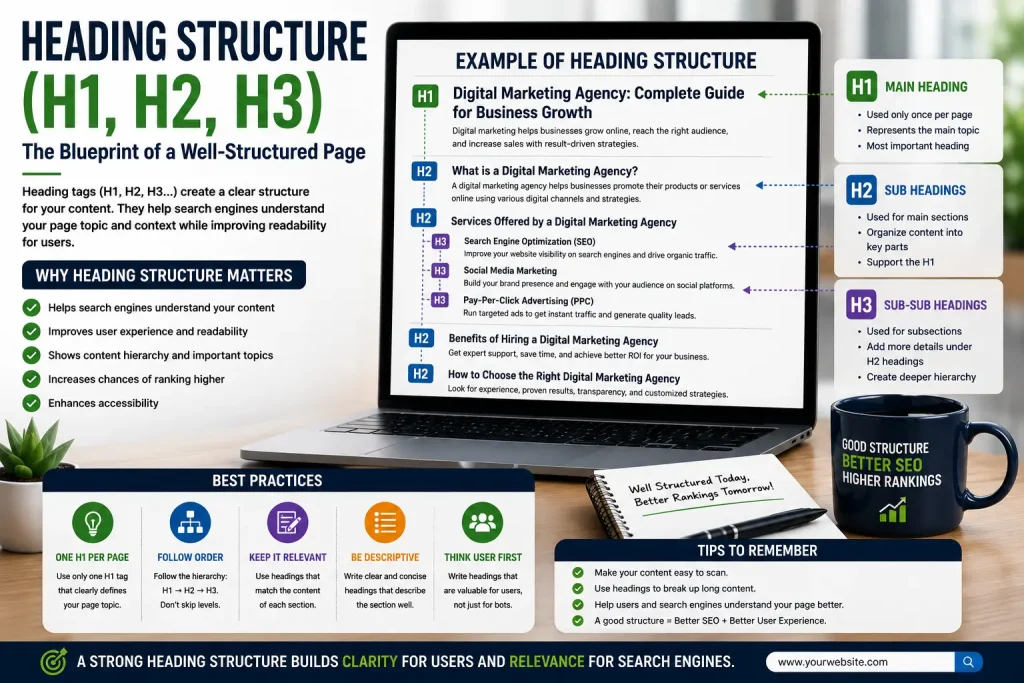
Every page should have exactly one H1 — usually the main title — followed by a logical hierarchy of H2s and H3s breaking the content into sections. This isn’t just about looking organized. Search engines use heading structure to understand what a page covers and how the ideas relate to each other.
A common mistake: using headings purely for visual styling — making text bold and bigger because it “looks like a heading” — without actually using proper heading tags. Visually it looks fine to a reader, but to Google, it’s invisible structure. The tags themselves matter, not just the appearance.
Keyword Placement Without Overdoing It
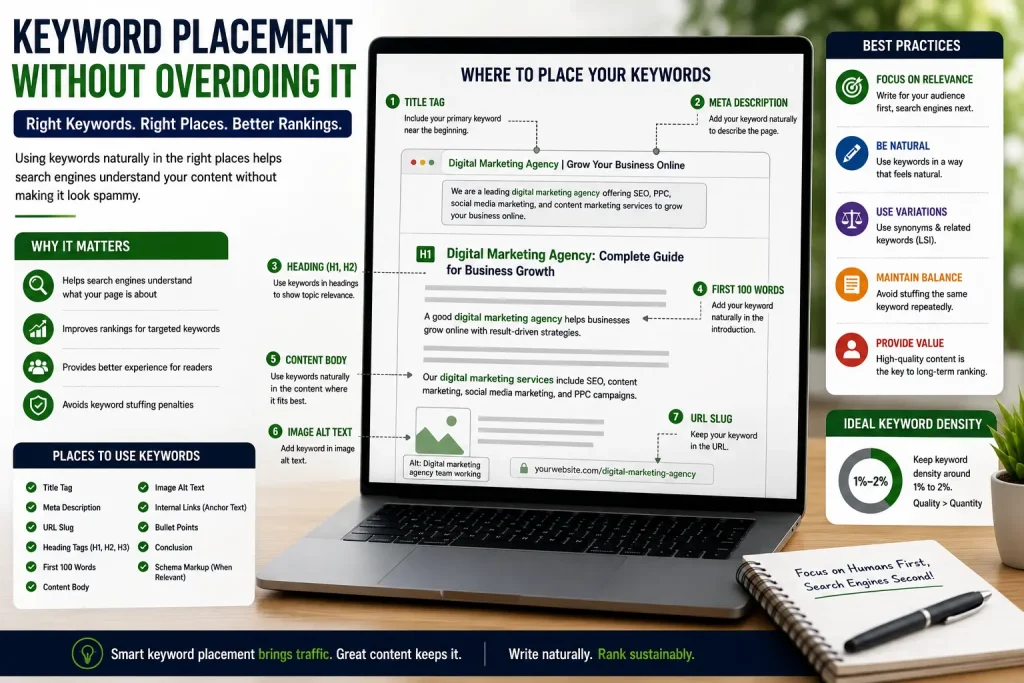
This is where a lot of on-page SEO efforts go wrong in the opposite direction — cramming the focus keyword into every other sentence, assuming more repetition equals better rankings. It doesn’t. Google’s algorithm can detect when you’re forcing unnatural keyword density and it can actually hurt your rankings instead of helping them.
The better approach: use your keyword naturally in the title, the first 100 words, at least one heading, and a few times throughout the body where it fits the sentence naturally. Beyond that, focus on related terms and natural language rather than repeating the exact phrase over and over.
Internal Linking
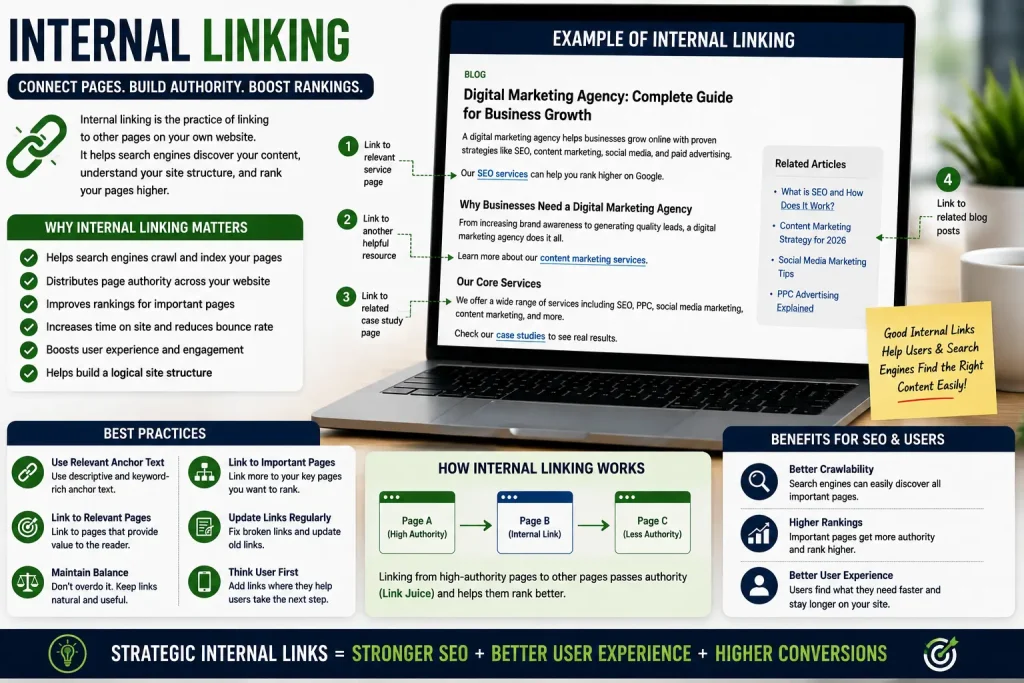
Internal links, links from one page on your site to another, are one of the most underutilized on-page SEO tools. They help Google understand your site’s structure, pass authority between pages, and keep visitors exploring more of your website instead of leaving after one page.
A simple rule: whenever you mention a topic that has its own dedicated page on your site, link to it. Over time, this builds a web of connected content that signals to Google which pages are the most important, based on how many internal links point to them.
Image Optimization
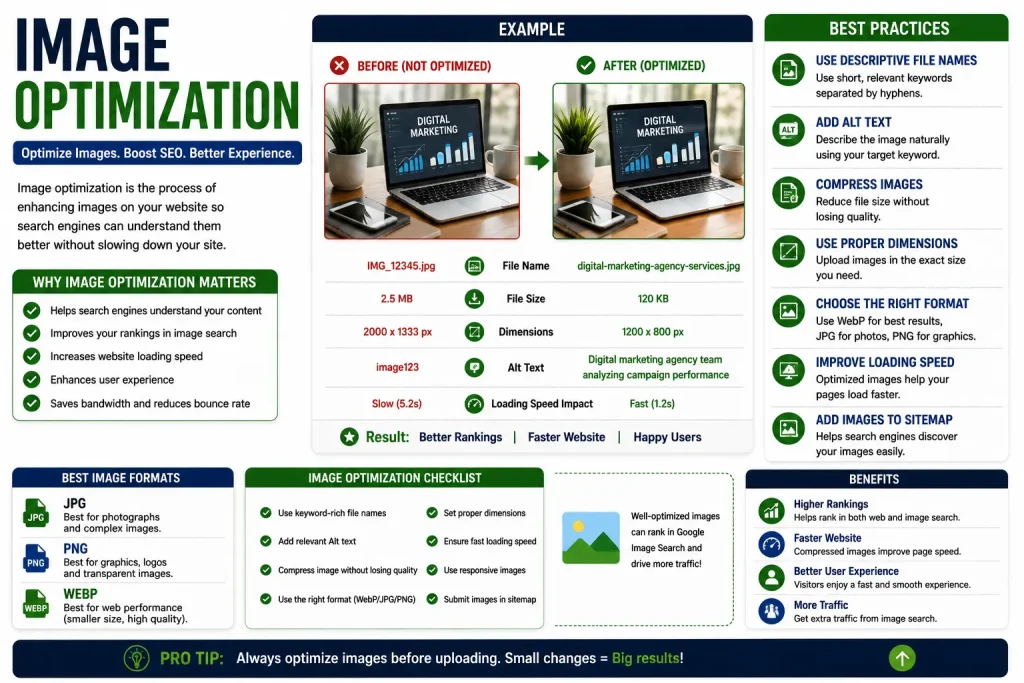
Images affect on-page SEO in two ways most people never think about: page speed and alt text. Large, uncompressed images slow down load times, and slow pages rank worse — full stop. Compressing images before uploading them is one of the easiest wins available, and it’s frequently skipped entirely.
Alt text describes what an image shows, both for accessibility (screen readers use it) and for SEO (Google can’t “see” an image, but it can read the alt text). A descriptive, keyword-relevant alt text — without stuffing keywords into it — is a small detail that adds up across dozens of images on a website.
URL Structure
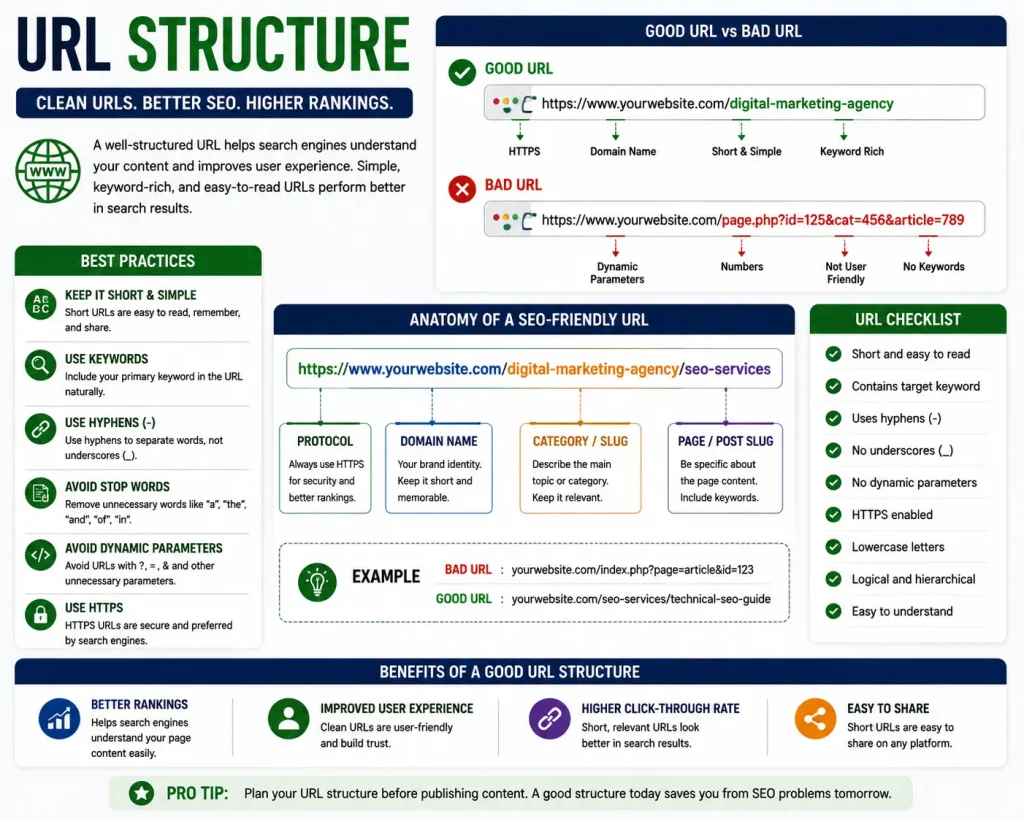
Clean, short, readable URLs perform better than long strings of random characters or unnecessary words. A URL like /on-page-seo is far more effective than something like /post?id=4829&category=marketing-tips-2026.
Keep URLs focused on the main keyword, avoid stop words where possible, and skip dates or version numbers unless they’re genuinely necessary — they only make the URL harder to read and quicker to go stale.
Frequently Asked Questions
What’s the difference between on-page and off-page SEO? On-page SEO covers everything you control directly on your website — titles, headings, content, internal links. Off-page SEO refers to signals from outside your site, mainly backlinks from other websites vouching for your content.
How often should on-page SEO be updated? Anytime you publish new content, and periodically for older pages — especially ones that have dropped in rankings or haven’t been reviewed in over a year. Search engines favor content that stays accurate and relevant.
Can good on-page SEO alone get me to rank #1? Not usually on its own for competitive keywords. On-page SEO removes the barriers stopping you from ranking, but off-page authority (backlinks) and technical health also play a major role, especially in competitive niches.
Is keyword density still important? Not in the way it used to be. There’s no magic percentage to hit. What matters more is natural placement and covering the topic thoroughly, rather than repeating one exact phrase a set number of times.
How do I know if my on-page SEO is actually working? Track rankings for your target keywords over several weeks, along with organic traffic and click-through rate from Google Search Console. On-page changes take time to reflect in rankings, so give it a few weeks before judging results.
Conclusion
On-page SEO rarely fails because of one big mistake — it fails because of several small ones stacking up quietly across a website: a missing H1 here, a keyword-stuffed paragraph there, images nobody bothered to compress. None of these individually tank a site’s rankings, but together, they add up to a page that Google simply doesn’t understand well enough to rank highly.
The good news is that none of this requires a complete overhaul. Going through your existing pages with this checklist — titles, headings, keyword placement, internal links, images, and URLs — usually uncovers a handful of fixable issues that have been sitting there for months, quietly holding rankings back.
Fix those, and often, that’s exactly the push a page needs to finally start moving.
contact us –Contact